After payment, you will receive a key to activate access to the cheat, a link to this manual, and a link to the loader.
First, prepare your PC for downloading and running the loader:
- Completely disable Windows Defender (real-time protection). If you have other antivirus programs installed, it is recommended to remove them, as they may interfere with the correct launch of the software;
- We strongly recommend disabling Windows Defender using the Defender Control program, which you can download via this link. Archive password - sordum.
- Completely uninstall the following software through Control Panel (Add/Remove Programs): Faceit AC, Riot Vanguard, ACE (AntiCheatExpert). These anticheats prevent our cheats from running. For ABI and Delta Force, there is no need to remove ACE anti-cheat.
- To use the cheat for PUBG, you must first open the game without the cheat, go to Settings -> Graphics -> DirectX Version. Select DirectX 11 and save the settings.
- To use the cheat for Dark and Darker, you must first do the following:
- If you are using the Steam client: go to Library -> Dark and Darker -> Properties. Enter -dx11 in the Launch Options field and save. This is necessary for the software to work.
- If you are using Blacksmith Launcher, open the launcher -> Launcher icon on the top left -> Game -> Launch option. Paste -dx11 in this field and save. This is necessary for the software to work.
- For DBD software: Launch the game without a cheat and set the screen mode to "Borderless" or "Windowed." DBD software won't work in "Full Screen."
- For ABI Full. Go to the game folder and navigate to the following folder (example path for Steam, similar for other launchers): D:\SteamLibrary\steamapps\common\ABInfinite\ABInfinite\Binaries\Win64
In this folder, create a text file called guid.txt (a text file named guid) and paste someone else's ABI account ID into it. You can easily get someone else's ID in the game from another player's profile, through chat, or on the leaderboard. This step is necessary for the software and the built-in spoofer to work correctly.
Now that everything is ready, download the loader using the link you received along with this manual and your key.
Before launching the loader, make sure all games are closed. It is strictly not recommended to run the loader while games are open!
Run the previously downloaded loader as administrator.
On the first launch, you will need to activate your key. Paste your key into the "Key" field and click "Continue".
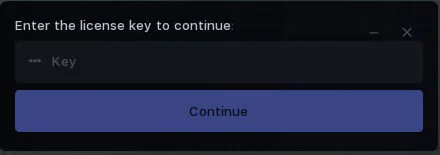 After a short load, authorization in the loader will occur, and you will see the main tab. Here you can select the software to run, check subscription expiration date and status.
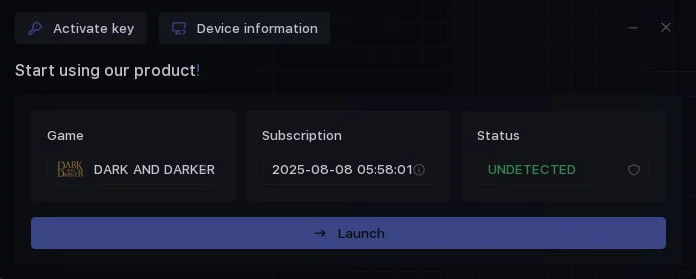 Now in the "Game" section, select the game you want to launch and click "Launch".
- At this step, the Marvel Rivals cheat will ask you to specify the path to the game launcher. The game will then launch automatically.
- When launching ABI Chams at this stage, you will need to select the software operating mode. Enter 1 or 2 in the console and press Enter, depending on the operating mode you need.
The cheat launch process will begin, wait for the message "Wait for the game process".
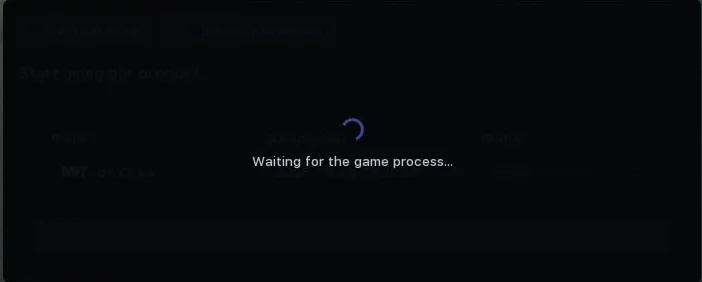 After the message appears, you need to start your game.
Injection will occur automatically, and the cheat menu will appear in the main menu of the game.
Congratulations, you have successfully launched the cheat!
After the message appears, you need to start your game.
Injection will occur automatically, and the cheat menu will appear in the main menu of the game.
Congratulations, you have successfully launched the cheat!
Afterwards, the cheat menu can be opened/closed by pressing the Insert key. In Hunt Chams, pressing Insert changes the mode of operation of the chams.
In ABI Chams / Delta Force Chams / Apex X-Ray / Hunt Chams / Rust Chams there is no menu, all functionality works automatically after launch.
When launching the software for Dark and Darker, Marvel Rivals, ABI Full the spoofer launches automatically during injection; no additional steps are required. Instructions for the spoofer for other games are provided below.